Mobile Payments in Taiwan for Foreigners: LINE Pay, JKOPay, Apple Pay and What Actually Works
By Raytio Ray
Mobile payment Taiwan foreigner guide 2026: which apps work with an ARC, a foreign card or a Taiwan bank, how to set up LINE Pay, and which 2 to get first.
Taiwan went from "cash only" to "scan here" in about five years, and the sticker wall at a typical shop counter now shows six or seven logos. This mobile payment Taiwan foreigner guide sorts out which of those apps you can actually open with an ARC, which ones work with only your home credit card, and the two we think every new resident should set up first.
The short version: what you need for each app
Almost every Taiwanese payment app asks for three things: a Taiwan phone number, your ARC (or the new UI number on it), and a Taiwan bank account or card. The phone number matters more than people expect. Under e-payment rules, providers must confirm that the phone number is real and belongs to you, matched against your ARC number, so a prepaid tourist SIM bought on your passport can trip the check. Get a contract or prepaid number registered on your ARC first (our bank account and phone plan guide covers this).
- What you have: Foreign card only, no ARC | What works: Apple Pay, Google Pay or Samsung Pay at contactless terminals; LINE Pay card binding sometimes
- What you have: ARC + Taiwan phone number | What works: Registration for LINE Pay, JKOPay, EasyWallet, iPASS MONEY, PX Pay
- What you have: ARC + phone + Taiwan bank account | What works: Everything above, plus stored balance, transfers to friends, bill payment, Taiwan Pay in your bank app
- What you have: Taiwanese credit or debit card | What works: Apple Pay or Google Pay almost everywhere, plus card rewards through the apps
Mobile payment Taiwan foreigner basics: QR codes vs tap
There are two kinds of payment here, and it helps to know which one a shop wants.
Tap (NFC): Apple Pay, Google Pay and Samsung Pay. Works at any terminal with the contactless symbol: convenience stores, chains, malls, and since July 1, 2026, every Taipei Metro gate (Focus Taiwan).
Scan (QR code): LINE Pay, JKOPay, PX Pay, EasyWallet, iPASS MONEY and bank apps. Either the cashier scans a barcode in your app, or you scan the shop's printed QR code. Since 2024 most of these apps also read the shared TWQR standard code, so one printed code at a small shop can take payment from almost any app.
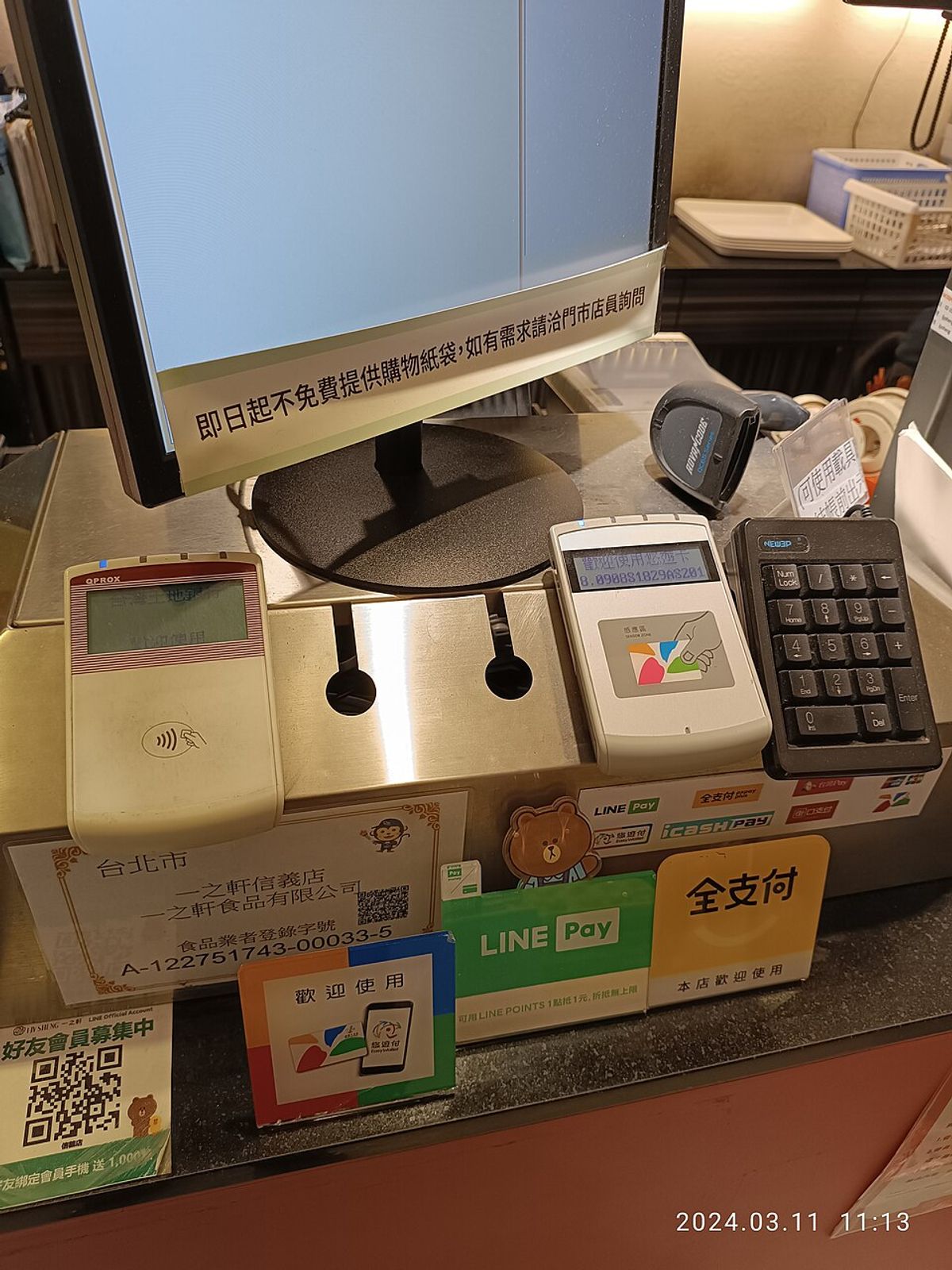
Photo: Wikimedia Commons, public domain
App by app: what it needs and where foreigners get stuck
LINE Pay (and LINE Pay Money). The one most Taiwanese use, built into the LINE chat app you will install anyway. Two layers exist. Basic LINE Pay lets you bind Visa, Mastercard or JCB cards and pay by barcode. LINE Pay Money, which LINE launched in-house on December 3, 2025 to replace the old iPASS-run wallet, is the stored-value account you need for transfers to friends and bill payment, and it requires scanning your ARC plus linking a Taiwan bank account. Foreigners reported the ARC step failing at launch; the fix found on Forumosa was to type your English name in ALL CAPS, exactly as printed on the ARC, including spaces and middle names.
JKOPay (街口支付). Strong at night markets, small eateries and taxis, and the one forum regulars call the most flexible: "linked with basically any card, it works everywhere," as one put it. Registration asks for photos of the front and back of your ARC. Gold Card holders had it rejected in 2022, but by September 2026 a resident reported activating it with the new UI number with no issue. One wobble: in July 2025 a court ruling against its parent company led Carrefour and a few others to pause JKOPay briefly. Most came back, but a few small shops quietly dropped it, so keep a second app.
Taiwan Pay (台灣Pay). Not a separate app. It lives inside your bank's app and pays straight from your debit card, including TWQR codes, transfers and bills. Whether you can use it depends on your bank. Mega and Hua Nan apps work for foreign residents; E.SUN Wallet still blocks non-citizens from its payment features as of January 2026. See which bank to choose if this matters to you.
iPASS MONEY (一卡通Money). Now a standalone app. It accepts a resident certificate, but a September 2026 registrant got a text asking for a passport scan by email within seven days to finish verification. Annoying, not a dealbreaker.
EasyWallet (悠遊付). From the EasyCard company. On the ID screen, tap the small "居留證驗證" (ARC verification) link at the top right; the default form only takes Taiwanese national IDs. Useful for buses, MRT QR codes and city government payments.
PX Pay (and PX Pay Plus, 全支付). Only worth it if you shop at PX Mart (全聯), which refuses foreign-issued cards and accepts only certain local ones. With PX Pay and a Taiwanese card you get through checkout without cash.
Apple Pay, Google Pay, Samsung Pay. Adding a Taiwanese card is done by your bank, with no ID form, which is why it is the most reliable route. Big Taiwanese banks support Apple and Google Pay; DBS does not support Google Pay. With a foreign card, the best detailed forum report found it working at 7-Eleven, Hi-Life, Uber, malls and most card-accepting restaurants, but refused at FamilyMart, PX Mart, Carrefour and Shopee. Samsung Pay can also hold an EasyCard, but only on phones bought in Taiwan.
Where each one is accepted

Photo: Doripoke via Wikimedia Commons, CC BY-SA 4.0
Night markets: LINE Pay runs campaigns across 36 night markets and over 3,200 stalls, including Shilin, Raohe, Linjiang Street and Ningxia, and JKOPay is common too. Look for the printed QR code taped to the stall. Plenty of stalls are still cash only, so carry a few hundred NT dollars.
Convenience stores: everything works at 7-Eleven and FamilyMart if it is tied to a Taiwanese card. At the counter, say the app name ("LINE Pay") and show the barcode. You can also pay utility and phone bills at the counter with some apps; our convenience store guide has the details.
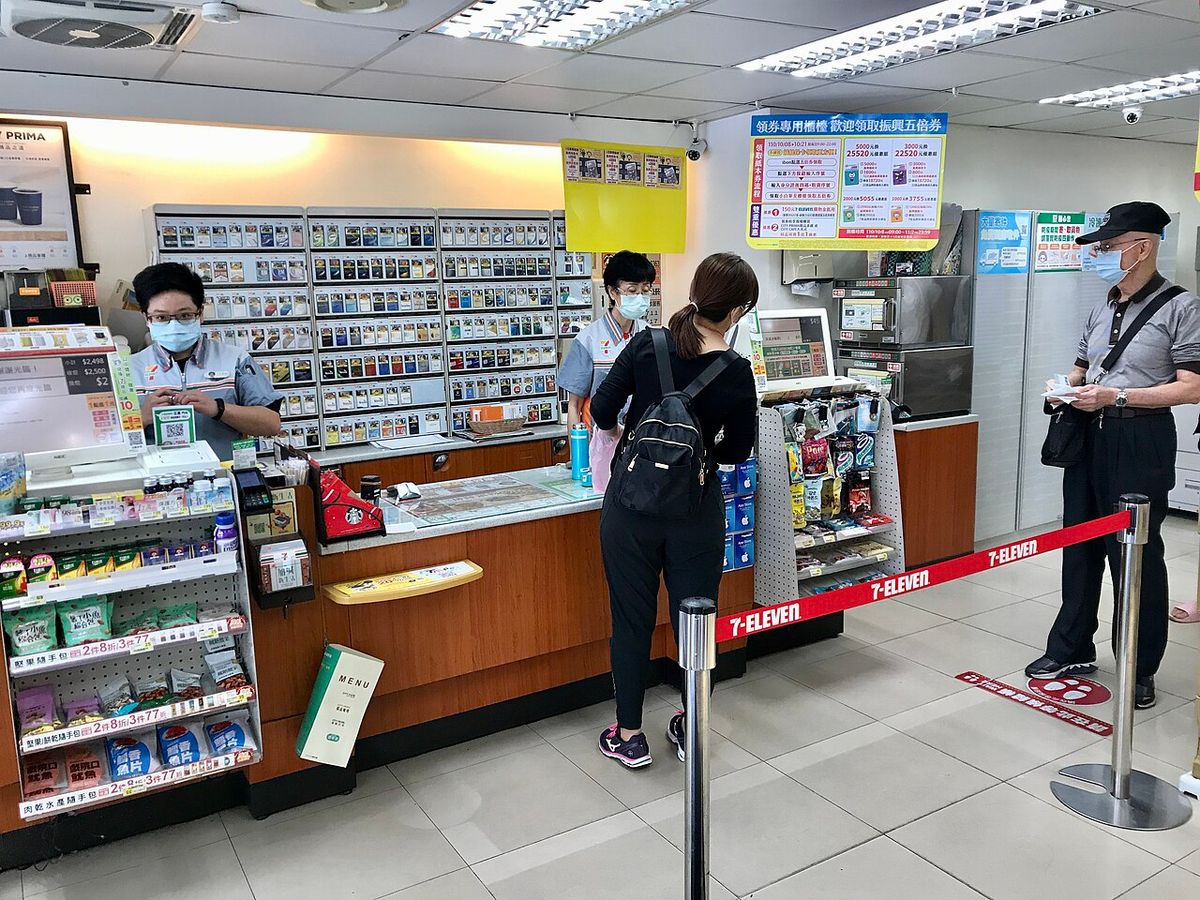
Photo: Wikimedia Commons, public domain
Taxis: many taxis, including Taiwan Taxi fleet cars, show LINE Pay or JKOPay stickers on the window, but not all. Ask before you get in: "LINE Pay 可以嗎?" (LINE Pay ke yi ma?).
MRT and buses: Taipei Metro gates take contactless cards and phones plus QR codes from EasyWallet, iPASS MONEY, icash Pay, JKOPay, PX Pay Plus and LINE Pay. If you ride daily, an EasyCard or TPASS still wins, because card and phone taps get no frequent rider rebate.
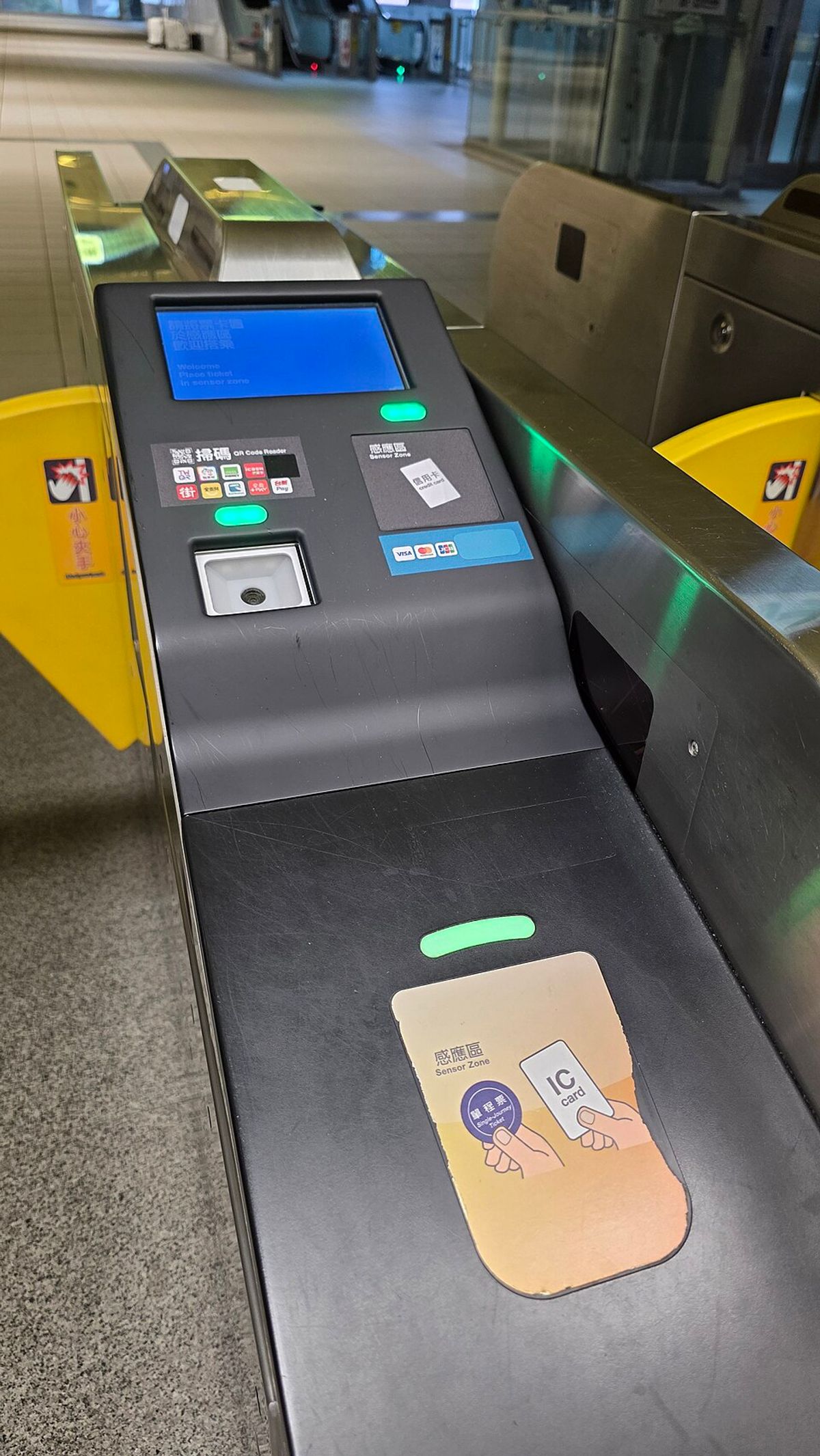
Photo: Sinsyuan via Wikimedia Commons, CC BY-SA 4.0
Government fees and bills: traffic fines, fuel tax and utility bills usually carry a barcode or a Taiwan Pay QR code. LINE Pay Money, JKOPay and your bank's Taiwan Pay all handle them.
Rewards and sending money to friends
Rewards come mostly from the card behind the app: you earn your credit card's rate plus the app's own points (LINE POINTS, JKO coins). Promotions change every month, so check the app's offers tab before a big purchase. Don't count on rewards for bills: a forum user who paid his phone bill through LINE Pay to earn card cashback found it excluded after all.
For splitting dinner, LINE Pay Money transfers go straight to a friend's LINE chat, and JKOPay gives a few free bank transfers a month. Your bank app's own transfer is free between many accounts too.
Step by step: setting up LINE Pay with an ARC
1. Get a Taiwan phone number registered under your ARC, and register LINE with that number (a LINE account on a foreign number cannot open Taiwan LINE Pay).
2. Open LINE, tap the Wallet tab, and choose LINE Pay. Accept the terms and set a six-digit payment password.
3. Add a card: scan your Taiwanese debit or credit card. A foreign card may work for basic payments, but expect some shops to decline it.
4. To activate LINE Pay Money, start identity verification (身分驗證), choose the resident certificate option, and scan your ARC.
5. Type your name in ALL CAPS, exactly as on the ARC. If it still fails, compare the name with your bank account; banks sometimes cut long names or drop middle names, and a mismatch blocks the link. Fix it at the bank.
6. Link your bank account, then do a small top-up to confirm everything works.
If your ARC number is rejected outright, it is probably the new UI format problem: see which apps accept the new ARC number.
Our pick: the two apps to set up first
First: LINE Pay with LINE Pay Money activated. You already use LINE, it has a usable English interface, it is the most widely accepted QR wallet, and it handles transfers and bills.
Second: Apple Pay or Google Pay with a Taiwanese debit card. No ID forms, works at every contactless terminal and on the MRT, and covers you when a shop's QR system is down.
Add JKOPay only if your favorite night market stall or taxi company prefers it. Skip the rest until a specific shop gives you a reason.